Wander Console 0.4.0
Wander Console 0.4.0 is the fourth release of Wander, a small, decentralised, self-hosted web console that lets visitors to your website explore interesting websites and pages recommended by a community of independent website owners. To try it, go to susam.net/wander/.
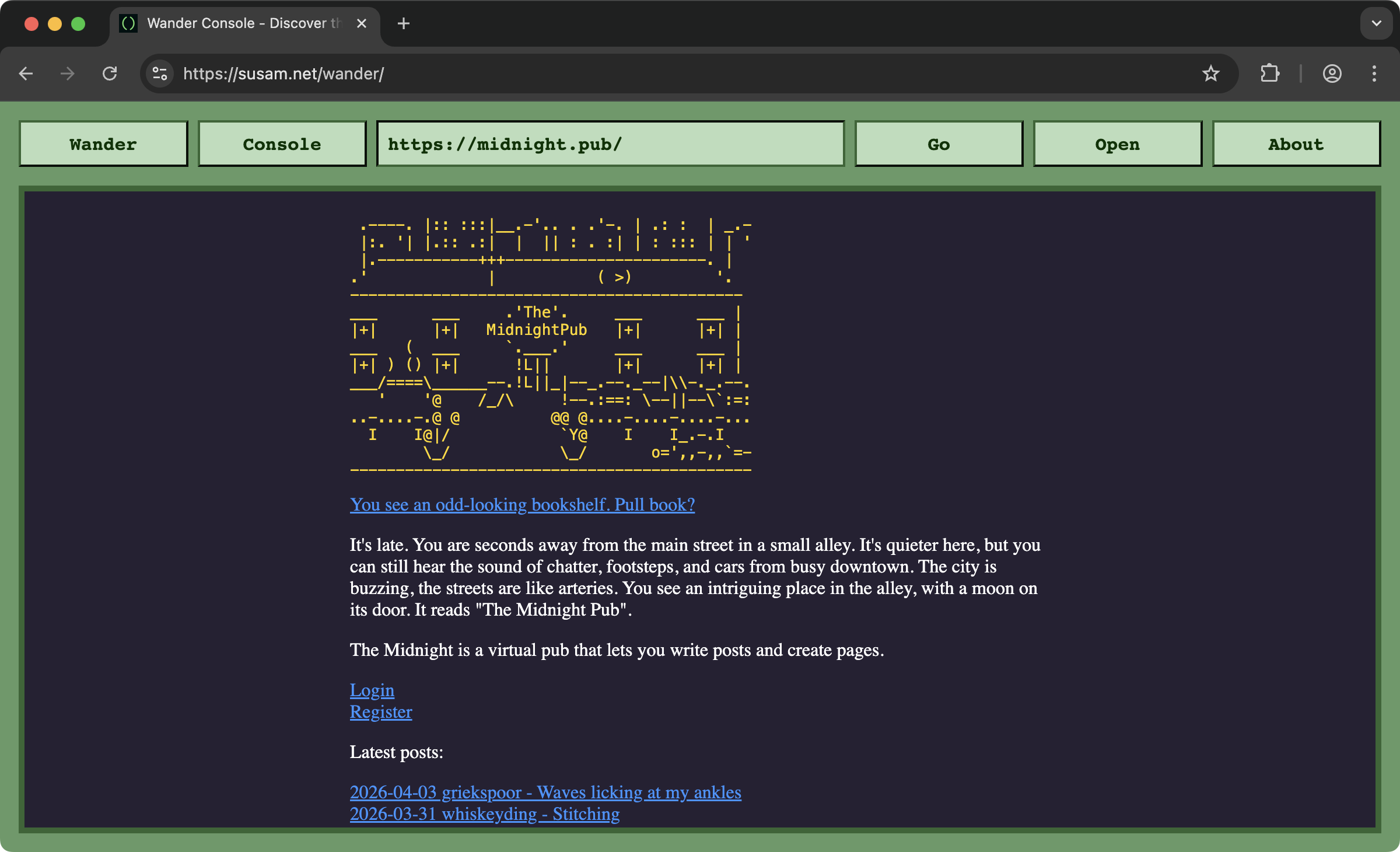
This release brings a few small additions as well as a few minor fixes. You can find the previous release pages here: /code/news/wander/. The sections below discuss the current release.
Contents
- Wildcard Patterns
- The 'via' Query Parameter
- Console Picker Algorithm
- Allow Links that Open in New Tab
- Community
Wildcard Patterns
Wander Console now supports wildcard patterns in ignore lists. An
asterisk (*) anywhere in an ignore pattern matches zero
or more characters in URLs. For example, an ignore pattern
like https://*.midreadpopup.example/ can be used to
ignore URLs such as this:
https://alice.midreadpopup.example/https://bob.jones.midreadpopup.example/
These ignore patterns are specified in a console's wander.js file. These are very important for providing a good wandering experience to visitors. The owner of a console decides what links they want to ignore in their ignore patterns. The ignore list typically contains commercial websites that do not fit the spirit of the small web, as well as defunct or incompatible websites that do not load in the console. A console with a well maintained ignore list ensures that a visitor to that console has a lower likelihood of encountering commercial or broken websites.
For a complete description of the ignore patterns, see Customise Ignore List.
The 'via' Query Parameter
By popular
demand, Wander now adds a via= query parameter
while loading a recommended web page in the console. The value of
this parameter is the console that loaded the recommended page. For
example, if you encounter midnight.pub/
while using the console at susam.net/wander/,
the console loads the page using the following URL:
https://midnight.pub/?via=https://susam.net/wander/
This allows the owner of the recommended website to see, via their
access logs, that the visit originated from a Wander Console. While
this is the default behaviour now, it can be customised in two ways.
The value can be changed from the full URL of the Wander Console to
a small identifier that identifies the version of Wander Console
used (e.g. via=wander-0.4.0). The query parameter can
be disabled as well. For more details,
see Customise
'via' Parameter.
Console Picker Algorithm
In earlier versions of the console, when a visitor came to your
console to explore the Wander network, it picked the first
recommendation from the list of recommended pages in it
(i.e. your wander.js file). But subsequent
recommendations came from your neighbours' consoles and then their
neighbours' consoles and so on recursively. Your console (the
starting console) was not considered again unless some other console
in the network linked back to your console.
A common way to ensure that your console was also considered in
subsequent recommendations too was to add a link to your console in
your own console (i.e. in your wander.js). Yes, this
created self-loops in the network but this wasn't considered a
problem. In fact, this was considered desirable, so that when the
console picked a console from the pool of discovered consoles to
find the next recommendation, it considered itself to be part of the
pool. This workaround is no longer necessary.
Since version 0.4.0 of Wander, each console will always consider itself to be part of the pool from which it picks consoles. This means that the web pages recommended by the starting console have a fair chance of being picked for the next web page recommendation.
Allow Links that Open in New Tab
The Wander Console loads the recommended web pages in an
<iframe> element that has sandbox restrictions
enabled. The sandbox properties restrict the side effects the
loaded web page can have on the parent Wander Console window. For
example, with the sandbox restrictions enabled, a loaded web page
cannot redirect the parent window to another website. In fact,
these days most modern browsers block this and show a warning
anyway, but we also block this at a sandbox level too in the console
implementation.
It turned out that our aggressive sandbox restrictions also blocked legitimate websites from opening a link in a new tab. We decided that opening a link in a new tab is harmless behaviour and we have relaxed the sandbox restrictions a little bit to allow it. Of course, when you click such a link within Wander console, the link will open in a new tab of your web browser (not within Wander Console, as the console does not have any notion of tabs).
Community
Although I developed this project on a whim, one early morning while taking a short break from my ongoing studies of algebraic graph theory, the subsequent warm reception on Hacker News and Lobsters has led to a growing community of Wander Console owners. There are two places where the community hangs out at the moment:
- New consoles are announced in this thread on Codeberg: Share Your Wander Console.
- We also have an Internet Relay Chat (IRC) channel named #wander on the Libera IRC network. This is a channel for people who enjoy building personal websites and want to talk to each other. You are welcome to join this channel, share your console URL, link to your website or recent articles as well as share links to other non-commercial personal websites.
If you own a personal website but you have not set up a Wander Console yet, I suggest that you consider setting one up for yourself. You can see what it looks like by visiting mine at /wander/. To set up your own, follow these instructions: Install. It just involves copying two files to your web server. It is about as simple as it gets.